Import Excel to Tally Prime
in One Click
Stop copy-pasting data into Tally. TallyConnects imports Sales, Purchase, Receipts, Payments, and 20+ voucher types directly from Excel to Tally Prime — with AI validation and smart ledger matching.
Works as an Excel Add-in. No XML, no coding. Just Excel and one click.
How Excel to Tally Import Works
Three simple steps — from your Excel file to Tally vouchers in under a minute.
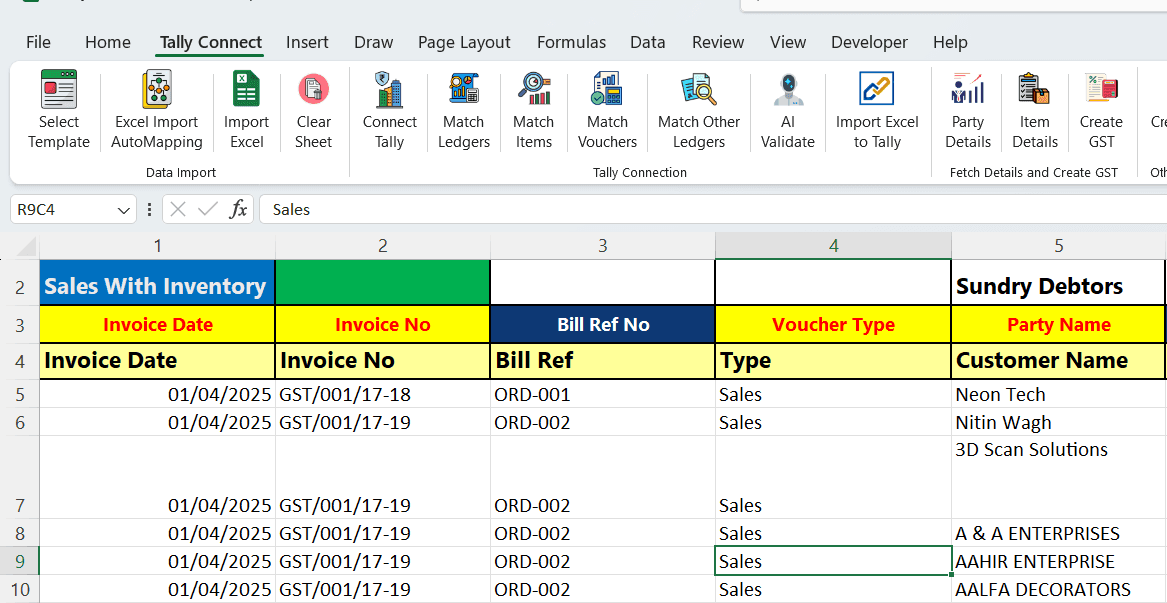
Open Your Data in Excel
Use the all-in-one template or auto-map your existing Excel file. TallyConnects intelligently matches your column headers to Tally fields — no manual mapping needed.
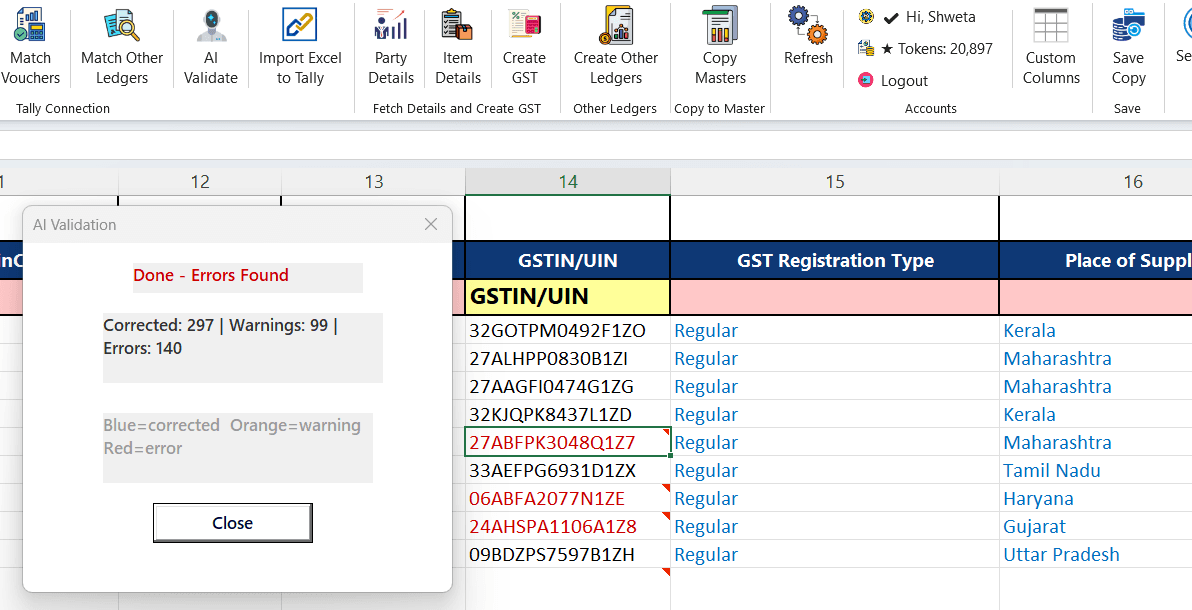
AI Validates Your Data
Before importing, AI checks every row for errors — wrong GST numbers, mismatched amounts, duplicate entries, invalid dates. Fix issues in Excel before they reach Tally.
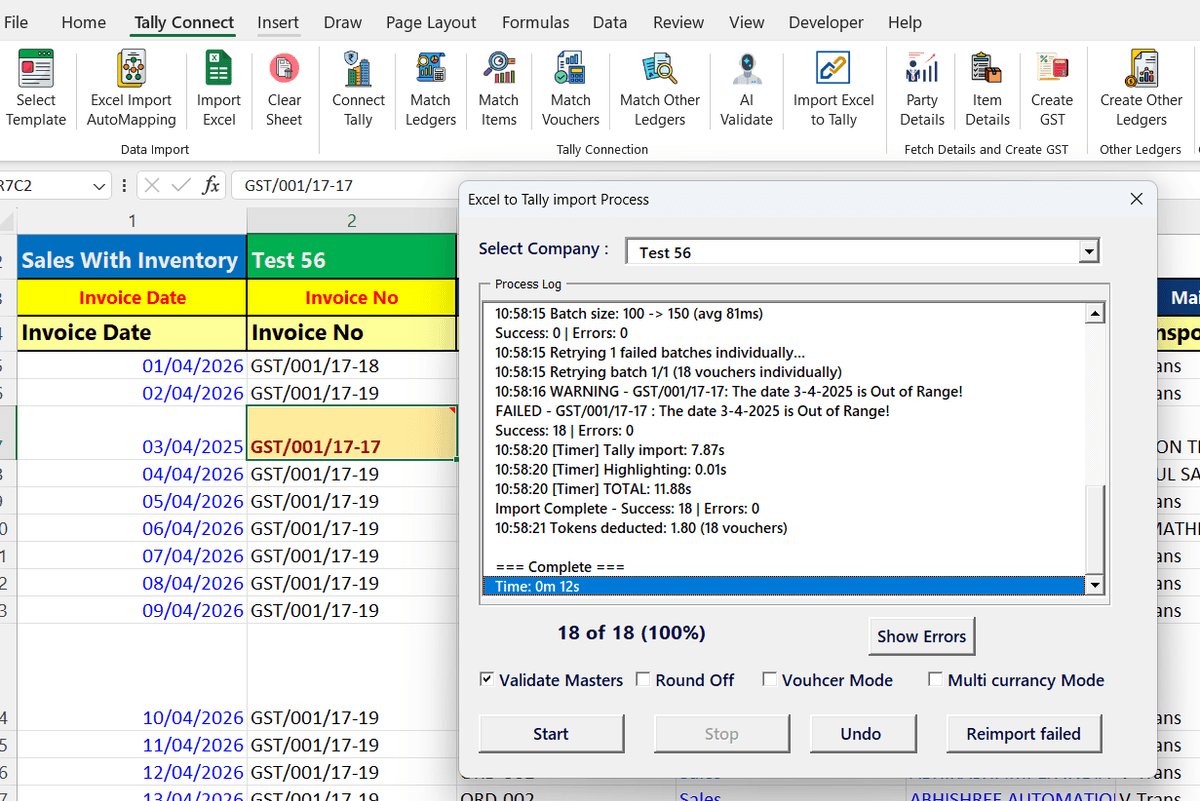
One-Click Import to Tally
Click Import and all vouchers are created in Tally Prime instantly. Sales, Purchase, Receipt, Payment, Journal, Contra — with full GST details, inventory items, and bill references.
What Makes TallyConnects Different
Smart features that save hours of manual work every day.
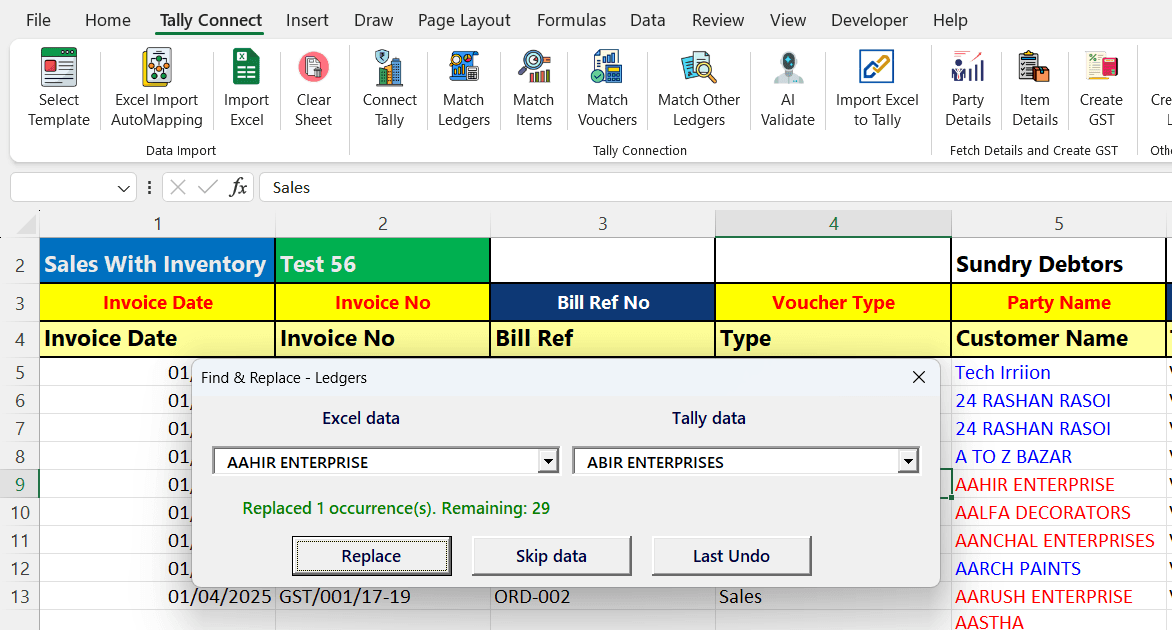
Smart Ledger Matching
Automatically matches party names from your Excel to existing Tally ledgers using fuzzy matching. No need to type exact ledger names.
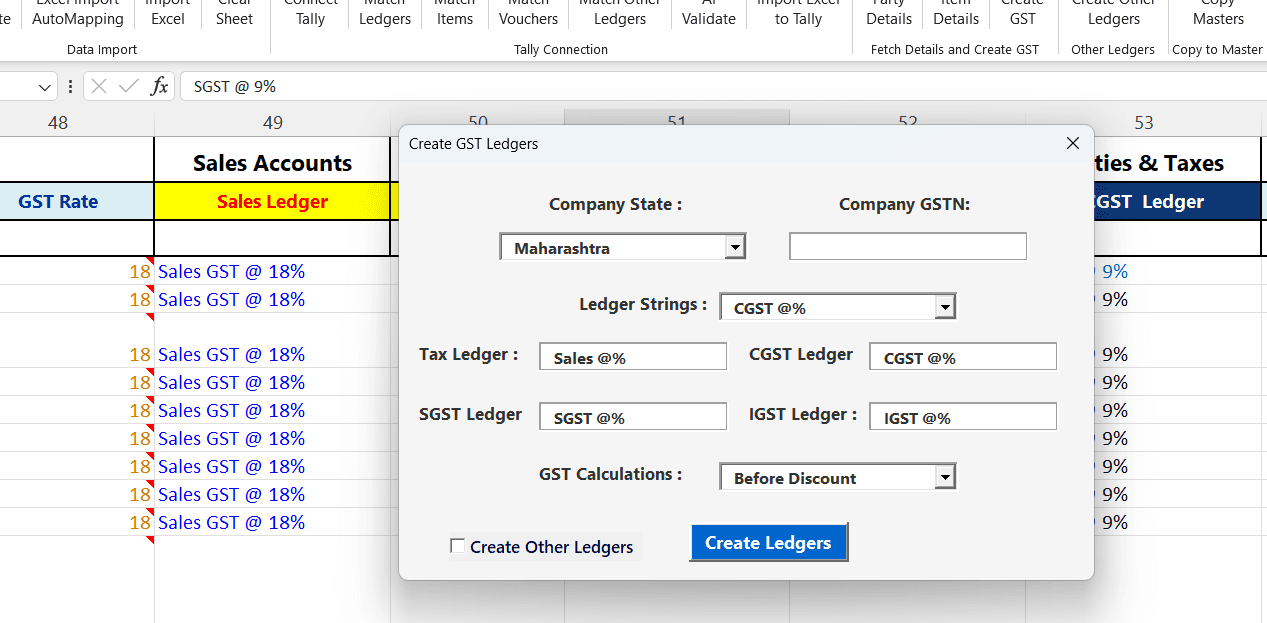
Auto-Create GST Ledgers
If a party ledger doesn't exist in Tally, TallyConnects creates it automatically with the correct GST number, state, and ledger group — no manual setup.
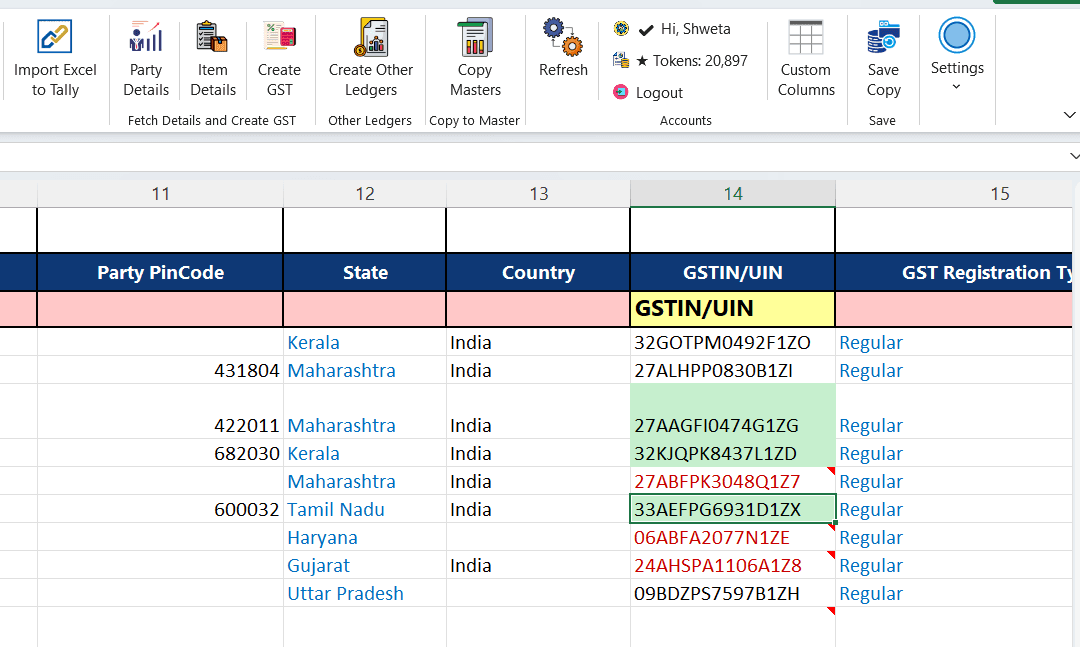
Fetch Party Details from Tally
Pull existing party details, outstanding balances, and bill references directly from Tally into Excel for reconciliation before importing.
20+ Voucher Types Supported
Frequently Asked Questions
How do I copy from Excel to Tally?
With TallyConnects, you don't need to copy-paste. Simply prepare your data in Excel using the built-in template, click 'Import to Tally', and all vouchers are created in Tally Prime automatically. It supports Sales, Purchase, Receipt, Payment, Journal, Contra, Credit Note, and Debit Note — with or without inventory.
Can we import data from Excel to Tally Prime?
Yes. TallyConnects is the most trusted Excel to Tally Prime import software with 25,000+ users. It imports vouchers, masters (ledgers, stock items, cost centres), and even bank statements directly from Excel into Tally Prime. No XML, no coding — just Excel and one click.
How to get Excel to Tally?
Download TallyConnects for free from tallyconnects.com. It installs as an Excel Add-in. Open your data in Excel, use the all-in-one template, auto-map your columns, validate with AI, and import to Tally Prime in seconds. You get 100 free tokens to try.
How do I copy and paste from Excel to Tally?
Instead of copy-pasting row by row, use TallyConnects to import entire Excel sheets to Tally in one click. It auto-maps columns, validates GST details, matches ledgers, and posts vouchers directly — saving hours of manual work. Works with any Excel format.
What is export and import of data in Tally?
Export means extracting data from Tally (like reports, ledgers, or vouchers) into Excel or other formats. Import means bringing external data into Tally — such as invoices from Excel, bank statements from PDF, or masters from CSV. TallyConnects handles both: import any data into Tally and fetch Tally data back into Excel.
How to import Tally data in Excel?
TallyConnects can fetch data from Tally directly into Excel. You can pull ledger balances, outstanding reports, stock summaries, and party details from your running Tally instance. This is useful for reconciliation, analysis, and preparing import files.
Import Excel to Tally in Seconds
Stop typing vouchers manually. Download TallyConnects and import your entire Excel sheet to Tally Prime in one click.