Convert PDF Invoices to Tally Vouchers
Upload any PDF invoice or bank statement. AI extracts the data, you review in Excel, and post to Tally.
Get Free TrialHow PDF to Tally Works
Upload PDF
Upload any PDF invoice, purchase order, or bank statement into TallyConnects
AI Extracts Data
AI reads the PDF and extracts party name, amounts, GST details, line items, and dates
Review & Post
Extracted data appears in Excel for review. Edit if needed, then post to Tally in one click
What Can You Convert?
- Sales and purchase invoices from vendors
- Bank statements from any Indian bank
- GST invoices with line-item details
- Scanned and digital PDF documents
- Credit notes and debit notes
- Expense bills and receipts
Token Cost
Rs 0.25
per record extracted
No subscription. No monthly fees. Pay only for what you use.
AI-Powered Extraction
TallyConnects uses advanced AI to understand the structure of any PDF document. It identifies tables, headers, amounts, tax details, and party information regardless of the PDF layout or format. The extracted data is presented in a clean Excel format for you to verify before posting to Tally.
Works with both digitally generated PDFs and scanned documents. No templates or pre-configuration required.
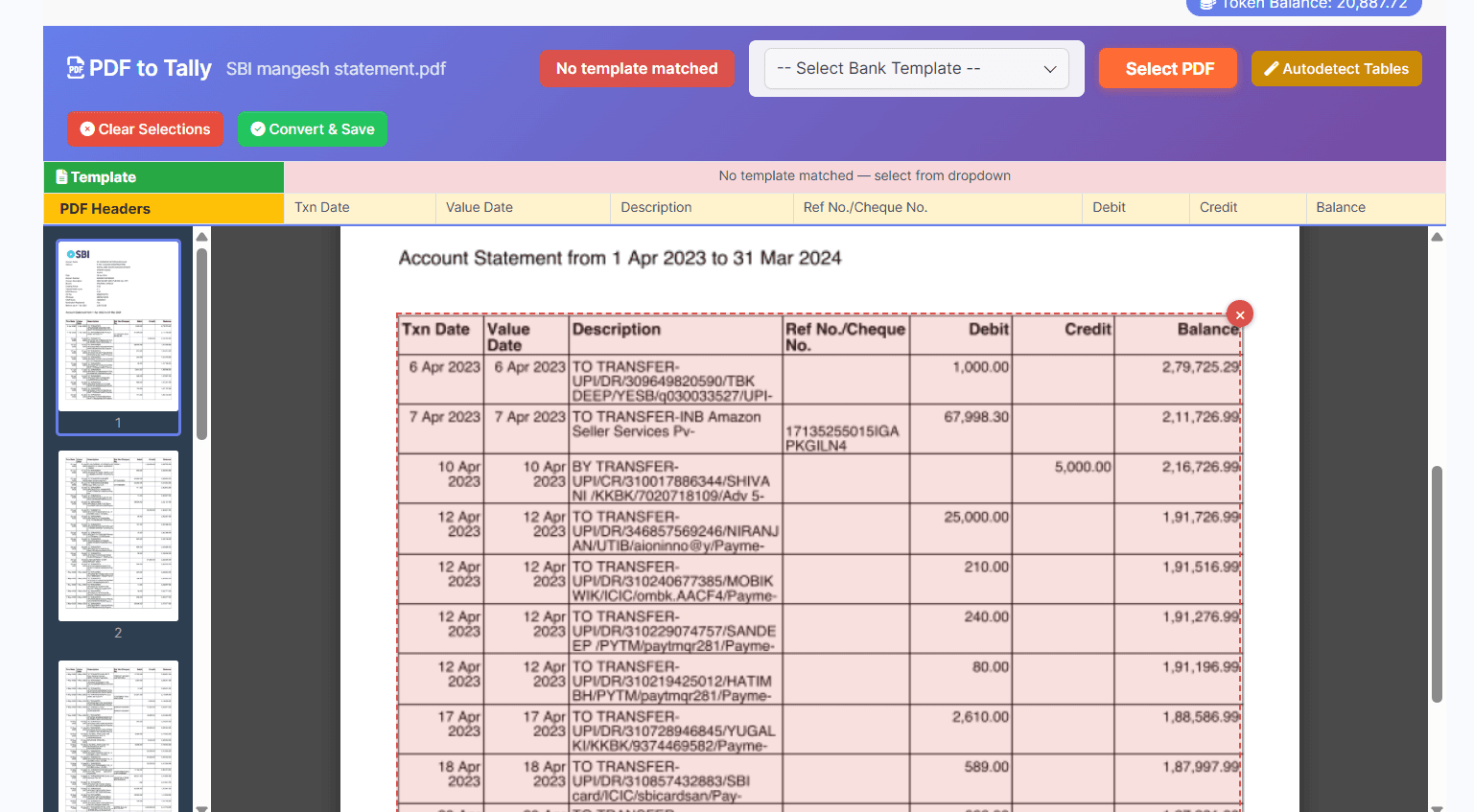
Upload Any PDF Format
TallyConnects accepts any PDF — digitally generated invoices, scanned documents, bank statements, and more. The AI engine intelligently detects table structures, headers, and data patterns regardless of layout.
No templates or pre-configuration needed. Just upload and the AI does the rest.
Frequently Asked Questions
How do I import a PDF file to Tally?
With TallyConnects, click 'PDF to Tally' mode and upload any PDF invoice or document. The AI engine reads the PDF, extracts party name, amounts, GST details, line items, and dates. The extracted data appears in Excel for review. Click Import to create vouchers in Tally Prime instantly — no manual typing.
Can we upload a PDF bank statement in Tally Prime?
Yes. TallyConnects supports PDF bank statement import for all Indian banks — nationalised, private, and co-operative. Upload your bank PDF, the tool auto-detects the bank format from 100+ templates, extracts all transactions, matches party ledgers from narrations, and posts Receipt/Payment/Contra vouchers to Tally Prime.
How to import PDF bank statement in Tally ERP 9?
TallyConnects works with both Tally ERP 9 and Tally Prime. Upload your bank statement PDF, the software extracts all transactions into Excel with auto-detected voucher types and matched ledgers. Review and click Import — all bank entries are posted to your Tally ERP 9 company data in seconds.
Convert PDFs to Tally Today
Stop manual data entry. Let AI extract your PDF data into Tally.
Download Now